
Everything before
launch day, in order.
A launch has a hundred small steps and one question every morning: what should happen next, and is anything late?
A focused launch-checklist application with no accounts: a signed link is the key to a read-only view, and every visitor works in a private sandbox.
Open Orbit (opens in a new tab)Current status: Live demonstration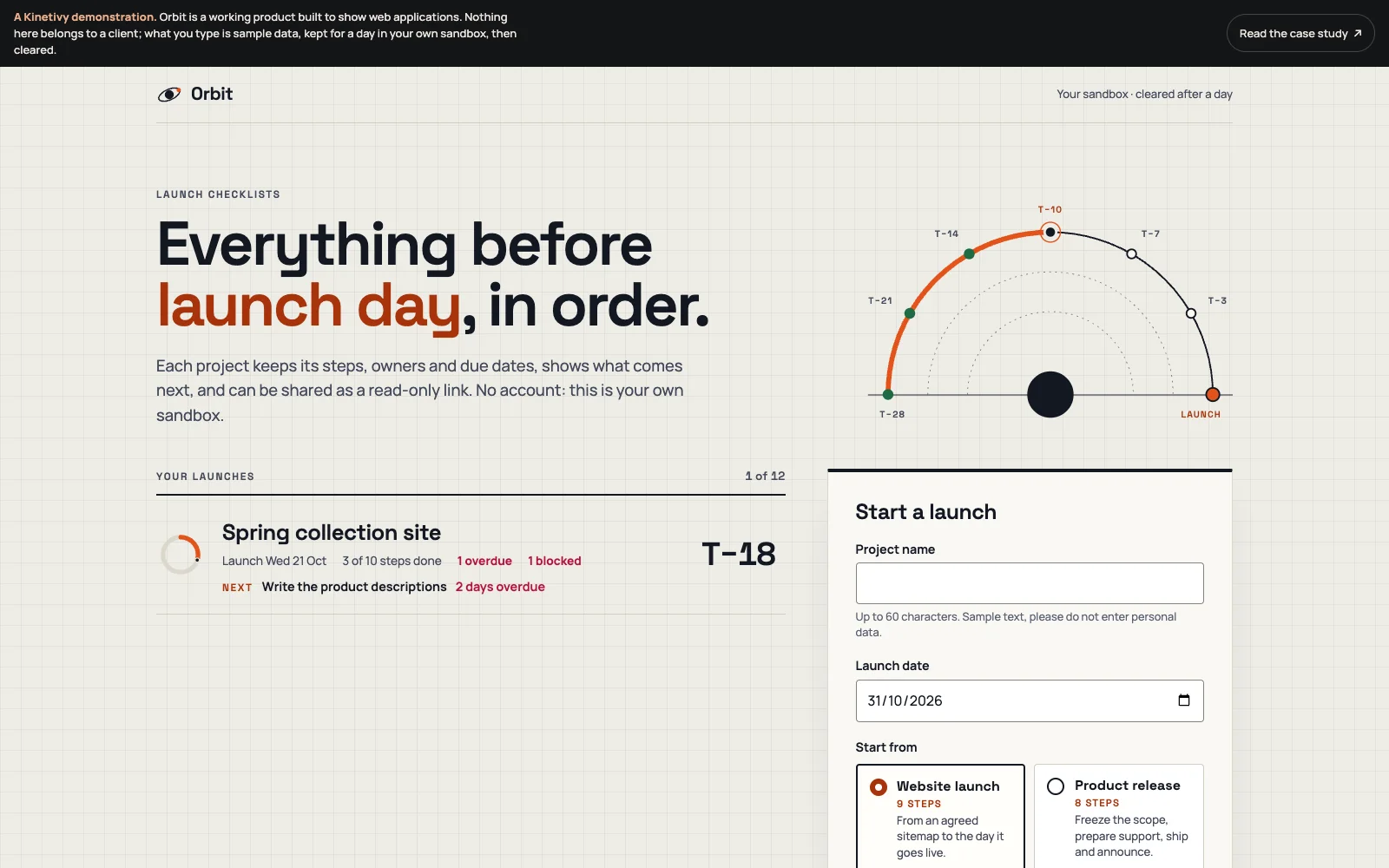
A specific job.
A deliberate shape.
Orbit plans everything that has to happen before a launch: projects with a launch date, steps with owners, due dates and states, started from a template or from nothing. The project page answers the morning questions: how far along (a progress ring), what next (the open step due soonest, with blocked steps set apart), what is late (in words, not only colour), what is due this week, and where everything sits against launch day. A project can be shared as a read-only link, exported as JSON and printed. There are no accounts; each visitor works in a private sandbox cleared after a day.
What this means for youWhat Kinetivy would bring to a project like yours: a web application that answers the question its users actually have, built to be fast, accessible and honest about what it has saved.
Three choices
you could reuse.
- 01
No accounts; a signed link is the key.
Sharing creates a link carrying a signature of the project and a per-project secret, so a reader needs no sign-in and turning the link off makes every old one fail at once. For your application, that is sharing without an account system to build, secure and support.
For youAn application that tells your team what comes next and what is late, at a glance.
- 02
Show a change at once, and tell the truth about saving.
A tick, an edit or a move appears immediately, waits its turn behind earlier changes, and is put back with a visible message if the server refuses it; “all changes saved” appears only once every change has been accepted. For your users, speed without a silent loss.
For youSharing without accounts where accounts would be a burden, with links you can revoke.
- 03
Make reordering work without a mouse.
Move-up and move-down buttons keep focus on the step being moved and announce its new position, beside a pointer drag on a grip, and the model’s date arithmetic is tested against a fixed day. For your product, the keyboard path is designed, not assumed.
For youChanges that feel instant and are never silently lost.
Open the public
product record.
Plan a launch
Start from a template, add and reorder steps, and watch the ring, “what’s next” and the overdue marks follow.
Share it read-only
Create a read-only link, open it elsewhere, then turn it off and see it stop working.
Checked by its tests
Fourteen Node tests on the model against a fixed today, the share-token format and the purge; fourteen browser journeys including keyboard reordering, a refused change rolled back, the shared view, tampered and revoked links, and zero axe violations at 1440 and 390 px.
The next build
could be yours.
Every decision on this page can be pointed at your business instead: your visitors, your data, your next release. Start with a free, editable Project Blueprint, kept in your browser. No email needed.
A good idea starts with a conversation.
Tell us the one thing you want to move forward. A short inquiry is enough to start.