HomeLabs
KINETIVY LABS / WORKING EXPERIMENTS

Working experiments.
Technical explorations.

Each experiment here is a working thing, not a mockup. For each one: the question it explores, how it works, where it stops and what it taught us.

The question
  • Configure a watch
  • How much time could a better handoff give back?
  • Is your idea ready for an interactive tool?
  • Compare two approaches
  • Explore a system at your own pace
The working interaction

Each tool is an ordinary, accessible form whose result also reads as text; the 3D instrument only shows it, so keyboard and screen-reader visitors get the same answer.

Its limits

Real-time 3D on the web is a craft with limits. The instruments on this page draw with WebGPU where a device offers it and fall back to WebGL where it does not; where neither is available, a still takes the instrument’s place and the tool keeps working as a plain form. Nothing on the page depends on the picture.

What it taught us

Every instrument is built once and animated by changing only what moves, so phones stay cool and batteries last. Motion respects the visitor’s reduced-motion setting, sound is off until they turn it on, and every control is a real button, slider or field that works by keyboard and reads correctly to a screen reader.
THE INSTRUMENT BENCH / FIVE WORKING CONCEPTS

Five tools you can
use right now.

Each one is a working concept tool with a real 3D instrument that answers as you use it. Drag to turn, scroll or pinch to look closer, and tap a part to learn what it is. Everything is drawn live in your browser.

01 Configurator The watch

01 / CONFIGURATOR

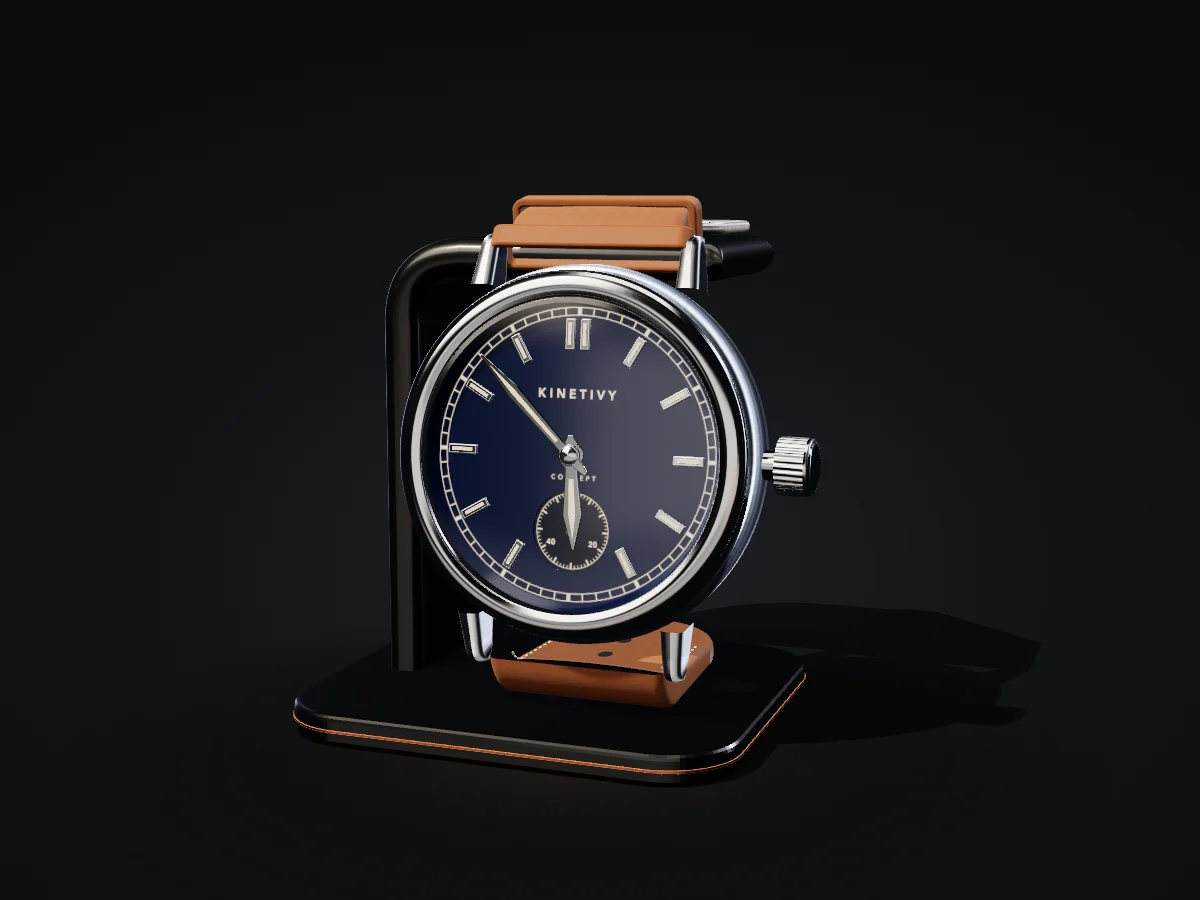
Configure a watch

Case
Dial
Bezel
Strap

Brushed steel case, midnight lacquer dial, smooth bezel and tan leather strap.

What it shows. Every choice changes the model in front of you: case metal, dial, bezel, strap and a live engraving on the caseback. The finished watch travels in a link.

THE HOMEPAGE / KINETIVY SKY

The world and the galaxy

The question

Kinetivy’s own site doubles as its demonstration of interactive design, because the easiest way to show what this studio can build is to make the website itself the proof.

The working interaction
  • Zoom into the galaxy. From the homepage’s finale, or the launcher on any page: turn and zoom the sky, tap a ringed star to name it, and build a collection kept in your browser.
  • Visit a star system. Keep zooming into a named star to fly into its generated system, orbit its worlds and return with Escape.
Its limits

The galaxy, instruments and observatory render in WebGPU with a WebGL fallback; where neither is available, composed stills take their place at the same size, so no page depends on the 3D.

Every star name, world and instrument is generated or invented for the demonstration, and the tools are planning aids with their assumptions shown, not professional advice.

What it taught us
  • Not every visit can carry the live world. The first guess from what a browser reports put every iPhone on the stills in the first release of the tiers, corrected the same day; the choice between the live world, a lighter version and the stills is now checked against what actually happens while the model downloads and the scene runs.
  • Every sound tied to the scroll read as a sound tied to the progress line, so the journey now has none: sound is off until the visitor turns it on, and only a deliberate press makes a short sound.
SAMPLE SCENARIO · A LAUNCH ACROSS MARKETS · NOT A CLIENT PROJECT

A sample scenario

The question
  • 01 / Find the signal. Your customers are asking.
  • 02 / One clear way in. One way in. Every market.
  • 03 / The handoff. Handed to the right team.
  • 04 / Ready to run. A clear next step. An accountable owner.
The working interaction

A sample interface registers interest in a market, Europe or Asia-Pacific. The handoff shows the request received, the market allocation and a regional team review, with a sold-out exception that offers the waitlist; the outcome carries the chosen market and its context through all four panels.

Its limits

Local demonstration only. No request is saved and no email is sent. The scenario is fictional and not a client project.

What it taught us

A clear interface. A visible handoff. An exception with a next step.

WEBSITE · WEB APP · WORKFLOW / ORIGINAL CONCEPTS

Three original concepts

The question
  • Form & Field. How expressive typography, a restrained product scene and a changeable palette can give a business a distinct presence.
  • Orbit. Clear state and immediate feedback in a focused task.
  • A considered handoff. The decisions around an automation.
The working interaction

Try a different headline or layout; add a step to a sample launch checklist and mark it complete; choose a direct route or add a human approval, then approve the sample or send it back.

Its limits

These concepts use fictional brands and sample data. They do not represent client endorsements or claimed business results. Orbit is a local demonstration, with no account or persistent project storage; in the handoff no business tools are connected and no messages are sent.

What it taught us

A small design decision changes the first impression, and an automation should keep people at the right decisions.

A LITTLE CONTEXT. A USEFUL CONVERSATION.

A good idea starts with a conversation.

Tell us the one thing you want to move forward. A short inquiry is enough to start.

LET’S MAKE SOMETHING USEFUL

A good idea starts with a conversation.

Tell us the one thing you want to move forward. A short inquiry is enough to start.

The inquiry form is temporarily unavailable. You can still make a free Blueprint or try again later.