
A request becomes
a clear next action.
Automation is easy to promise and hard to trust. The question is never whether the happy path works; it is what happens when the downstream step fails at nine in the evening.
A request workflow that routes by named rules, keeps people in control of exceptions, shows every attempt and retry, and never claims a message was sent.
Open the request desk (opens in a new tab)Current status: Live demonstration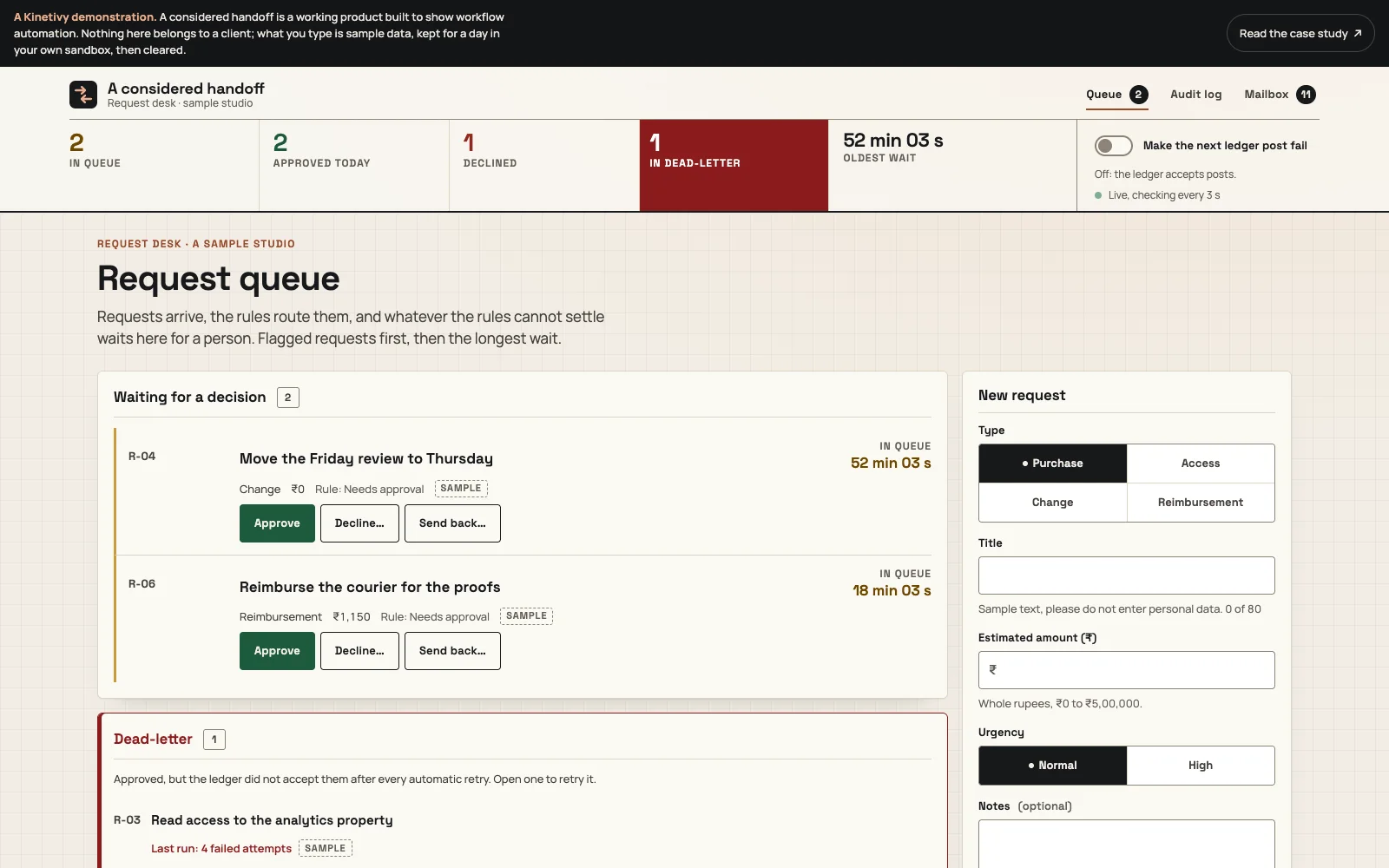
A specific job.
A deliberate shape.
The homepage tells the handoff as a story; the demonstration runs it. A visitor submits a sample request (a purchase, access, a change or a reimbursement). Rules with names either approve it or send it to a person’s queue, where it is approved, declined with a reason or sent back. An approved request is posted to a simulated ledger by a server-side step that retries after one, three and nine seconds and then waits in a dead-letter for a person. Every step lands in an append-only audit log, every notification the workflow would send appears in an in-page mailbox marked as not sent, and one switch makes the next ledger post fail so the recovery can be watched rather than taken on trust.
What this means for youWhat Kinetivy would bring to a project like yours: a workflow whose rules say why they decided, whose exceptions reach a person, and whose failures are visible and recoverable.
Three choices
you could reuse.
- 01
Write the rules as a pure module with named decisions.
The rules have no input or output of their own; the server decides with them and the form previews with them, and every outcome carries the rule’s name. For your workflow, that is how a decision can always be explained.
For youRules you can read, with every automatic decision explained by name.
- 02
Keep people in control of exceptions.
The rules settle only the clear cases; everything else, urgent purchases included, waits for a person, with the live wait visible and high urgency kept at the top. For your team, automation takes the routine and leaves the judgement.
For youExceptions that reach a person in time, in a queue that shows how long they have waited.
- 03
Design for the failing step.
Each attempt, its backoff, the dead-letter and the recovery sit on the request’s own timeline, the audit log refuses edits at the database level, and notifications are rendered into the page rather than claimed as delivered. For your operation, nothing is hidden in a log nobody reads.
For youFailures you can see and recover, with a history that cannot be quietly edited.
Open the public
product record.
Route a request
Submit a sample request and see the rule that routed it; approve, decline or send back the ones that wait for a person.
Watch a failure recover
Turn on “Make the next ledger post fail”, approve a request, and follow four attempts, the dead-letter and Retry now on its timeline.
Checked by its tests
Sixteen Node tests on the rules, the duplicate window, the retry schedule, the append-only triggers and the purge; fourteen browser journeys including the failure switch timed against its schedule, sandbox isolation and zero axe violations at 1440 and 390 px.
The next build
could be yours.
Every decision on this page can be pointed at your business instead: your visitors, your data, your next release. Start with a free, editable Project Blueprint, kept in your browser. No email needed.
A good idea starts with a conversation.
Tell us the one thing you want to move forward. A short inquiry is enough to start.