
Make the site
show the work.
You are looking at it right now. Every page you have scrolled through, every tool that answered you back — this is what Kinetivy actually builds, not a description of it.
The interactive layer of this website: an explorable galaxy, 3D star systems, a self-assembling observatory and ten working concept tools, all drawn live in the browser.
Explore it on the homepageCurrent status: Live on this website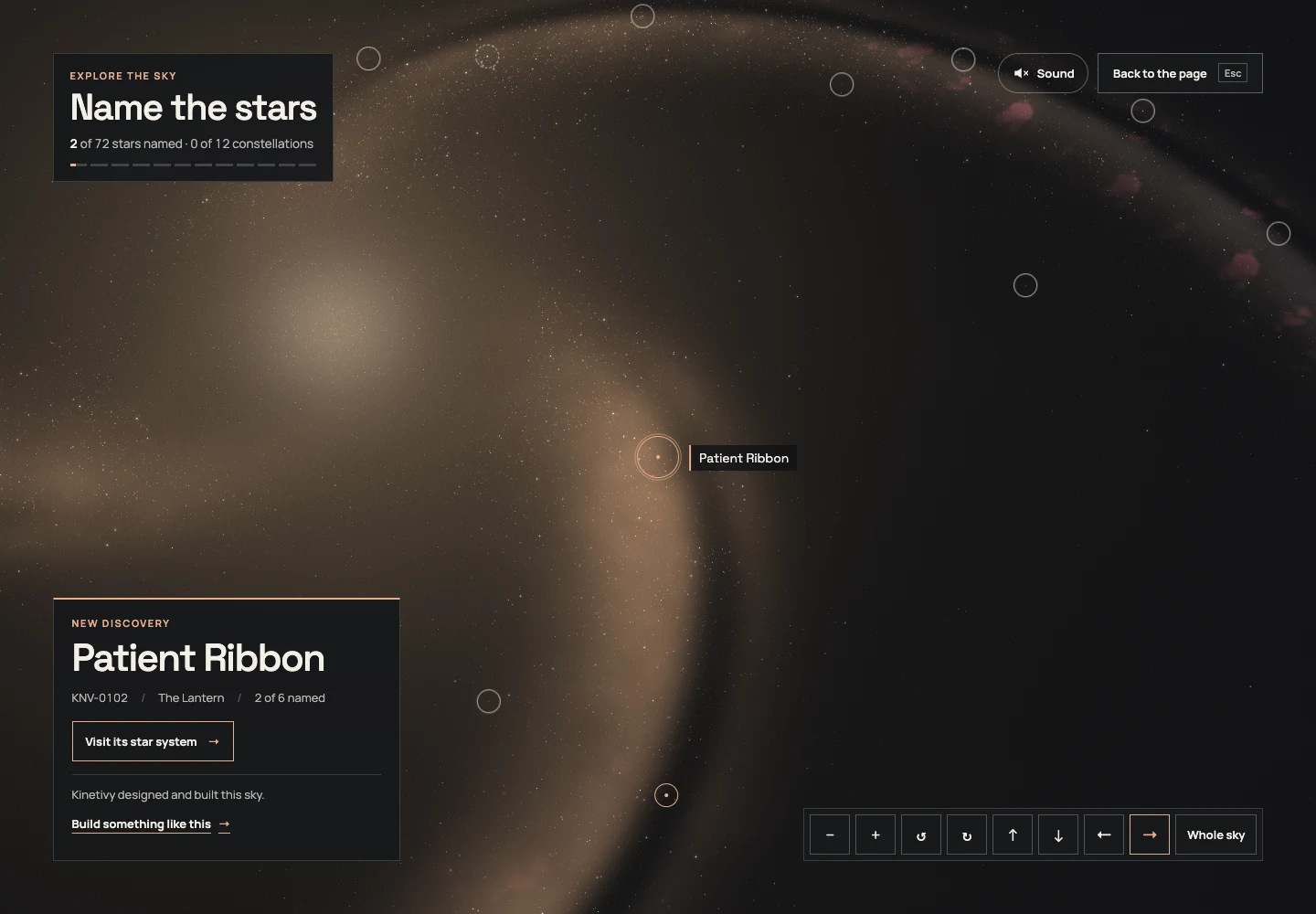
A specific job.
A deliberate shape.
Kinetivy’s own site doubles as its demonstration of interactive design, because the easiest way to show what this studio can build is to make the website itself the proof. The homepage opens on a WebGPU observatory whose parts assemble as the story scrolls, with a galaxy forming behind the page that visitors can zoom into, turn and explore star by star; naming a star opens its generated system in 3D. The interactive-tools page adds a bench of ten working concept tools, each driving a precision instrument. Everything is drawn in the browser, with stills for devices that cannot draw it.
What this means for youWhat Kinetivy would bring to a project like yours: concept, 3D design, engineering, sound and content, carried all the way to something a visitor can actually use.
Three choices
you could reuse.
- 01
Draw everything live, with a still for everyone else.
The galaxy, instruments and observatory render in WebGPU with a WebGL fallback; where neither is available, composed stills take their place at the same size, so no page depends on the 3D. For your project, that means the experience degrades gracefully instead of breaking for the visitor on the wrong device.
For youAn experience built to hold up on the device your visitor actually has, not just the one on the studio’s desk.
- 02
Keep the page readable over the sky.
Text carries a halo of the page’s own ground, while visitors can dim the galaxy, switch it off or use reduced motion. Automated accessibility checks and keyboard journeys cover the tested routes; they are evidence for those journeys, not a claim that every possible interaction is certified.
For youVisual ambition that never costs you legibility, contrast or a working reduced-motion mode.
- 03
Let the model illustrate the answer, never replace it.
Each tool uses an ordinary form and presents its result as text while the 3D instrument visualises it. The tested keyboard paths preserve the same core result without requiring the model.
For youInteractive tools built to work by keyboard and with assistive technology, not only with a mouse.
Read the build
through its evidence.
Zoom into the galaxy
From the homepage’s finale, or the launcher on any page: turn and zoom the sky, tap a ringed star to name it, and build a collection kept in your browser.
Visit a star system
Keep zooming into a named star to fly into its generated system, orbit its worlds and return with Escape.
Use the instrument bench
Ten working concept tools on the interactive-tools page: a configurator, a calculator, an assessment, a comparison and an explorer, each with its own 3D instrument.
The next build
could be yours.
Every decision on this page can be pointed at your business instead: your visitors, your data, your next release. Start with a free, editable Project Blueprint, kept in your browser. No email needed.
A good idea starts with a conversation.
Tell us the one thing you want to move forward. A short inquiry is enough to start.