
Keep the work
in the workspace.
A coding agent can move quickly while leaving the person who owns the code unsure what changed, what ran, or which part of the answer was actually checked.
A private desktop workspace combining project chat, an editor, approvals, local models and reviewed learning.
Discuss a private buildCurrent status: Private configured installation; portfolio evidence only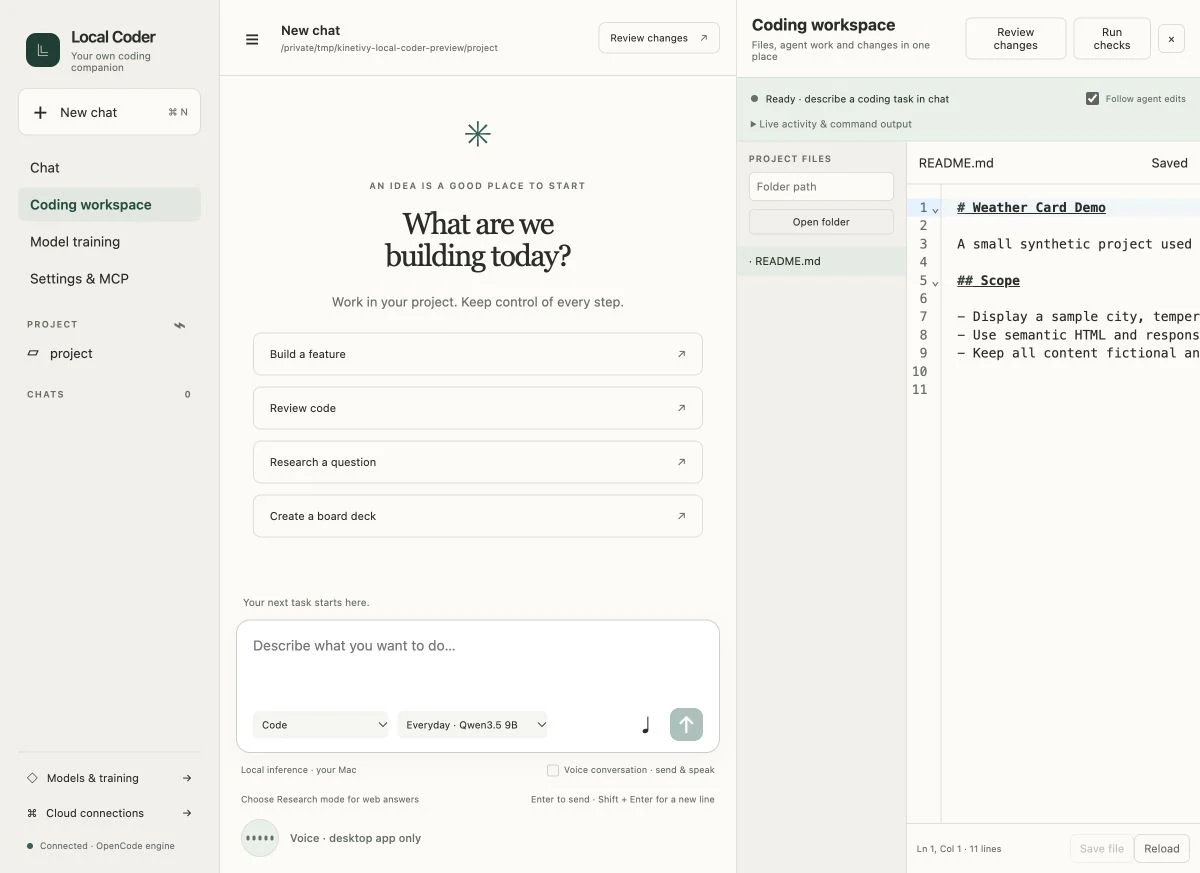
A specific job.
A deliberate shape.
Local Coder brings project chat, an integrated CodeMirror editor, explicit tool approvals, local models, research workflows and human-reviewed learning into one native Swift and AppKit workspace over OpenCode. Version 0.3.8 is installed and verified on its configured Apple Silicon machine. The build remains private: clean-machine setup, portability, notarization and model-quality goals are unfinished, and no trained candidate has been promoted.
What this means for youWhat Kinetivy would bring to a project like yours: an AI-assisted workspace whose files, permissions, actions and evidence remain inspectable.
Three choices
you could reuse.
- 01
Put the conversation beside the work.
Chat, project files, editor state and live tool activity share one workspace, so the request and the changed artifact do not disappear into separate windows. For your product, context stays beside the decision it explains.
For youAn assisted workspace where the request and working artifact stay together.
- 02
Ask before tools cross the boundary.
Tool permissions and connection settings are explicit, and optional connections begin disabled. For your workflow, the assistant can prepare work without silently granting itself the right to act.
For youExplicit permission boundaries for files, tools and optional connections.
- 03
Treat learning as a reviewed release.
Examples, validation groups, comparisons and activation are separate steps; the current evidence records no promoted model. For your AI feature, improvement is something a person evaluates and releases, not a background claim.
For youA review and activation path that keeps AI improvement accountable to a person.
Read the build
through its evidence.
Inspect the isolated workspace
The capture uses the real desktop frontend and pinned local backend with a synthetic README, empty session list and isolated temporary state.
Review the installed surface
The configured 0.3.8 build combines chat, coding workspace, model training and settings in one native window.
Keep quality claims bounded
Recorded regression checks passed, but model-quality evaluations remain incomplete and no candidate was promoted.
The next build
could be yours.
Every decision on this page can be pointed at your business instead: your visitors, your data, your next release. Start with a free, editable Project Blueprint, kept in your browser. No email needed.
A good idea starts with a conversation.
Tell us the one thing you want to move forward. A short inquiry is enough to start.