
Keep the assistant
close to home.
A useful assistant needs access to context. The design question is how much context it needs, where that context lives, and when a person stays in control.
A local-first voice workspace for conversation, notes, reminders, documents and bounded automations.
View Jarvis Local community source (opens in a new tab)Current status: Public community source and unsigned Windows development release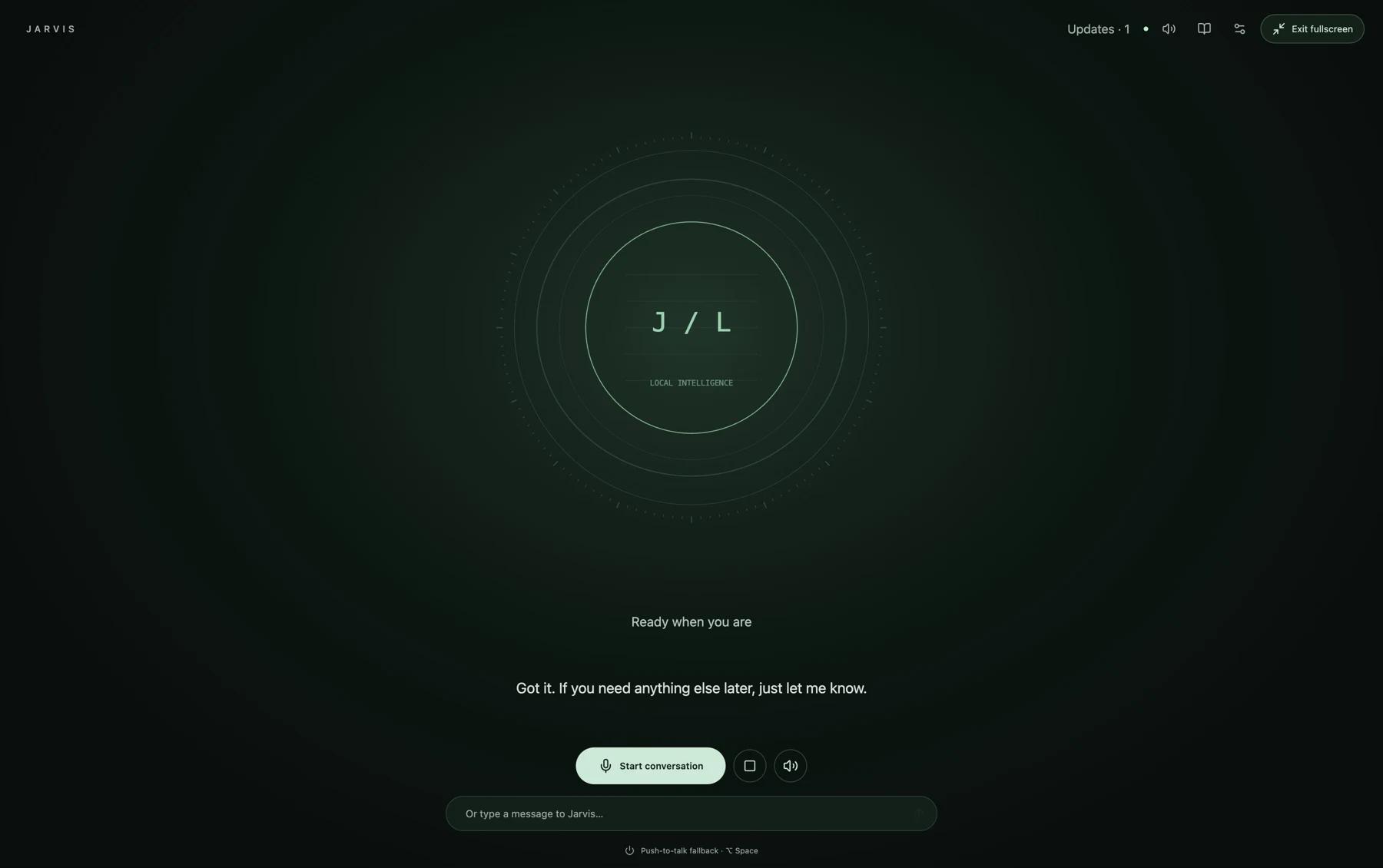
A specific job.
A deliberate shape.
Jarvis Local explores a private voice workspace across local conversation, notes, reminders, documents, memory and bounded automations. Its stack combines a React and TypeScript interface with FastAPI, WebSocket and SQLite, plus native local inference and speech components. The current macOS 0.3.2 candidate remains a private development build while physical acoustic, narrow-screen and signing gates remain open. A public community repository and unsigned Windows 0.3.1 development installer are available separately.
What this means for youWhat Kinetivy would bring to a project like yours: product boundaries, voice interaction design and implementation that makes local, connected and unverified states explicit.
Three choices
you could reuse.
- 01
Make local the visible default.
The interface identifies when inference and speech stay on the machine, while optional online providers and connectors require deliberate configuration. For your product, privacy becomes a state a person can see and choose.
For youA local-first state your users can understand before they share context.
- 02
Keep voice recoverable through ordinary controls.
Conversation, stop and typed-message paths remain visible around the voice stage, so a missed phrase does not trap the user in a voice-only loop. For your workflow, every novel interaction gets a plain route back.
For youVoice interaction with visible stop, text and recovery paths.
- 03
Separate a working candidate from a public release.
The installed Mac candidate, public community source and unsigned Windows development release are described as different states. For your launch, the interface and case study say exactly what is available, tested and still gated.
For youRelease language that distinguishes an installed candidate from a public product.
Read the build
through its evidence.
Inspect the voice surface
The dated capture shows the installed fullscreen workspace with synthetic copy and no personal history.
Read the community source
The public repository documents local setup, privacy boundaries, supported workflows and current development limitations.
Follow the release boundary
The public release is an unsigned Windows development build; the newer Mac candidate is private and not notarized.
The next build
could be yours.
Every decision on this page can be pointed at your business instead: your visitors, your data, your next release. Start with a free, editable Project Blueprint, kept in your browser. No email needed.
A good idea starts with a conversation.
Tell us the one thing you want to move forward. A short inquiry is enough to start.